# Gallery

Each of these renders straight from an ASL fixture with `generateSvg` — no manual layout, no
hand-drawn boxes. Click a fixture name to see the exact ASL behind it in the
[state types guide](/guides/state-types/).

<div class="gallery-grid">
  <figure>
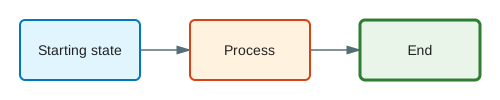
    <img class="theme-light" src="/gallery/simple-light.svg" alt="A minimal two-state Pass to Succeed workflow" />
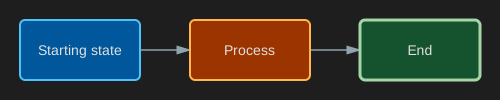
    <img class="theme-dark" src="/gallery/simple-dark.svg" alt="A minimal two-state Pass to Succeed workflow" />
    <figcaption>**Simple** — a minimal two-state workflow.</figcaption>
  </figure>
  <figure>
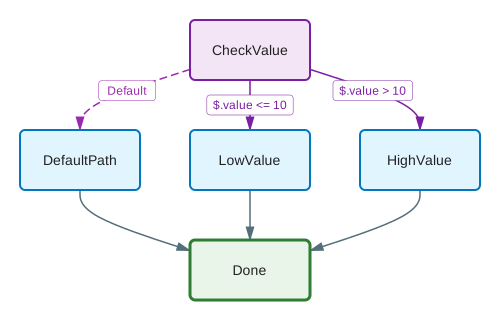
    <img class="theme-light" src="/gallery/choice-light.svg" alt="A Choice state branching into two paths" />
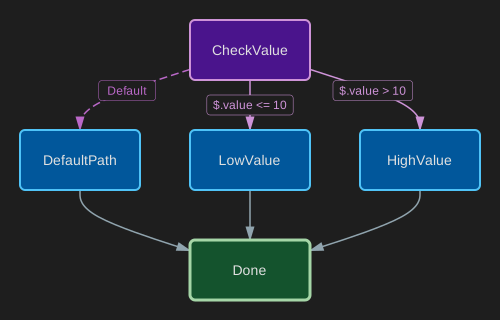
    <img class="theme-dark" src="/gallery/choice-dark.svg" alt="A Choice state branching into two paths" />
    <figcaption>**Choice** — branching logic based on input.</figcaption>
  </figure>
  <figure>
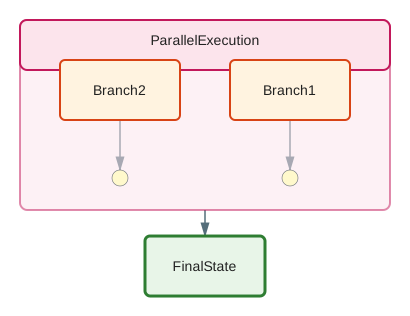
    <img class="theme-light" src="/gallery/parallel-light.svg" alt="A Parallel state running two branches concurrently" />
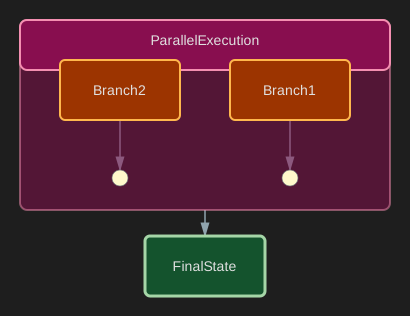
    <img class="theme-dark" src="/gallery/parallel-dark.svg" alt="A Parallel state running two branches concurrently" />
    <figcaption>**Parallel** — concurrent branches, one container.</figcaption>
  </figure>
  <figure>
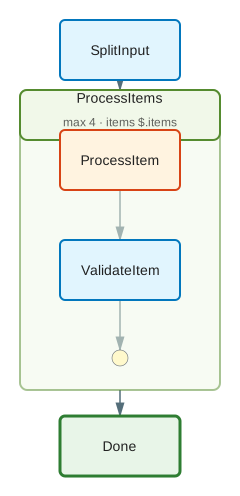
    <img class="theme-light" src="/gallery/map-light.svg" alt="A Map state iterating over an array of items" />
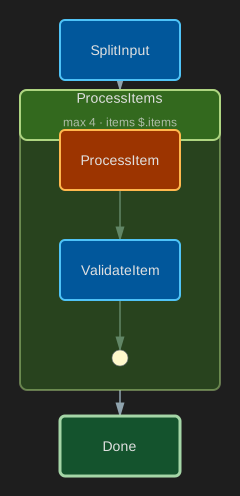
    <img class="theme-dark" src="/gallery/map-dark.svg" alt="A Map state iterating over an array of items" />
    <figcaption>**Map** — iterating over an array of items.</figcaption>
  </figure>
  <figure>
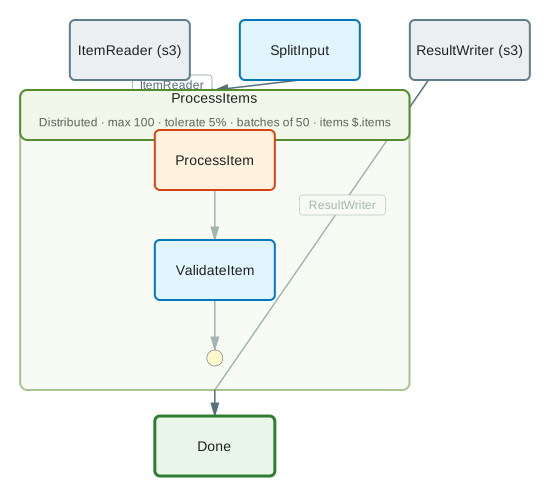
    <img class="theme-light" src="/gallery/distributed-map-light.svg" alt="A Distributed Map with ItemReader and ResultWriter" />
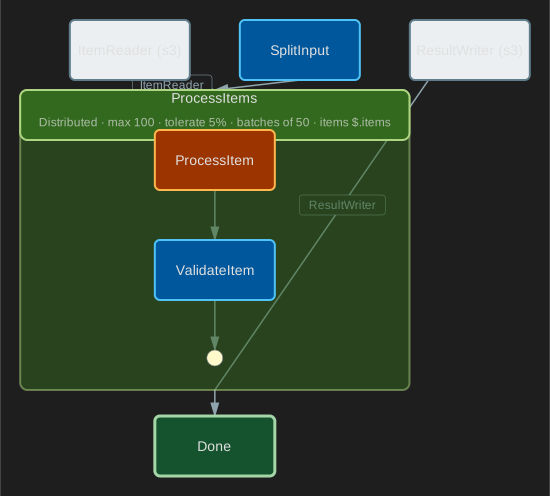
    <img class="theme-dark" src="/gallery/distributed-map-dark.svg" alt="A Distributed Map with ItemReader and ResultWriter" />
    <figcaption>**Distributed Map** — `ItemReader` source and `ResultWriter` sink shown distinctly from an inline Map.</figcaption>
  </figure>
  <figure>
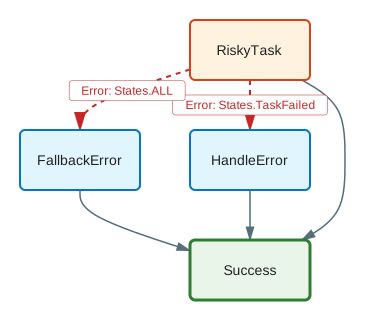
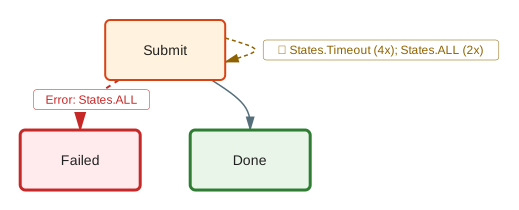
    <img class="theme-light" src="/gallery/error-handling-light.svg" alt="Catch blocks rendered as dashed error edges" />
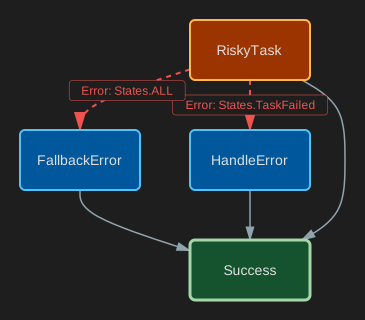
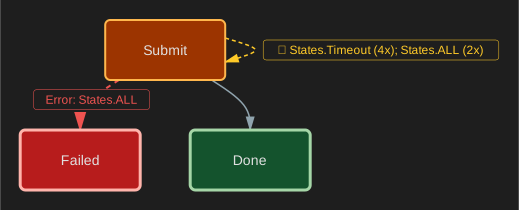
    <img class="theme-dark" src="/gallery/error-handling-dark.svg" alt="Catch blocks rendered as dashed error edges" />
    <figcaption>**Error handling** — `Catch` blocks as dashed red edges.</figcaption>
  </figure>
  <figure>
    <img class="theme-light" src="/gallery/retry-light.svg" alt="A Retry policy rendered as a labelled self-loop" />
    <img class="theme-dark" src="/gallery/retry-dark.svg" alt="A Retry policy rendered as a labelled self-loop" />
    <figcaption>**Retry** — a retry policy as a labelled self-loop.</figcaption>
  </figure>
  <figure>
    <img class="theme-light" src="/gallery/services-light.svg" alt="AWS service integrations shown with service icons on Task states" />
    <img class="theme-dark" src="/gallery/services-dark.svg" alt="AWS service integrations shown with service icons on Task states" />
    <figcaption>**Service icons** — `--show-icons` draws the AWS service behind each Task.</figcaption>
  </figure>
</div>

Two more patterns are easier to show live than as a static image:

- **[Visual diffing](/guides/cli/)** — `--diff <baseline>` highlights added, modified, and
  removed states between two revisions. It's what drives the [GitHub Action](/ecosystem/github-action/)'s
  PR comments.
- **[Execution overlays](/guides/cli/)** — `--execution <history.json>` paints a real run's
  path, status, and per-state duration onto the diagram.

Want to try your own definition? Paste it into the **[playground](/playground/)** — no install required.